One calm app for
everything your Mac hides.

Keep-awake, fan control, battery charge limiting, per-app audio, display tuning, casting, menu-bar tidying, and a phone remote — one native menu-bar instrument panel. One price. No subscription.

Apple Silicon · macOS 14+ · no accounts, no analytics, no telemetry

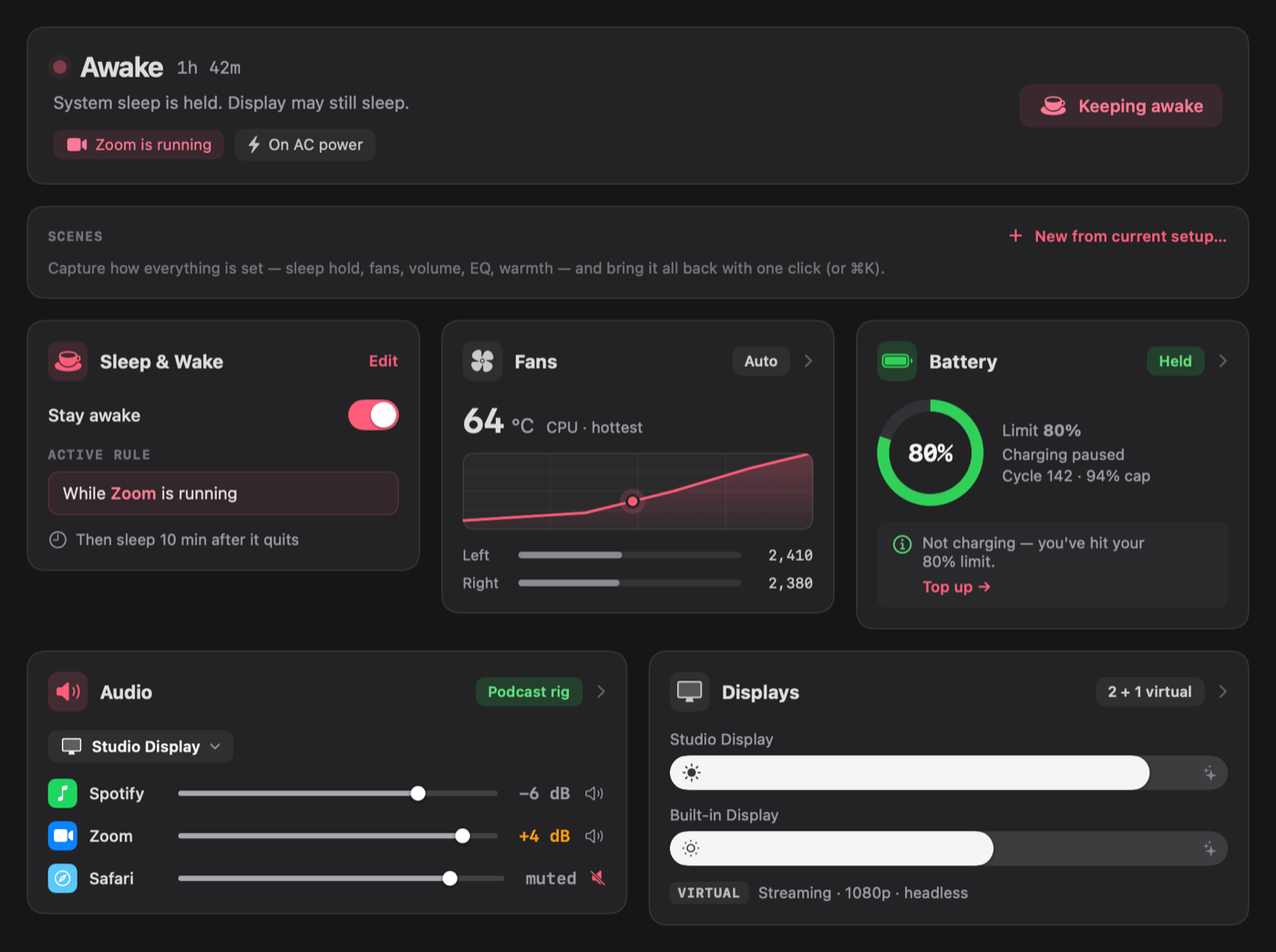
The Rein main window
Replaces Amphetamine · Macs Fan Control · AlDente · SoundSource · Lunar · Airflow · Ice and a phone-remote app — over $150 of single-purpose utilities — with one native app.
Five pillars

Every control macOS buries, on one panel.

Native SwiftUI, designed like an instrument panel: glance, adjust, forget. And a hard rule underneath — the worst case is always plain macOS default behaviour.

Sleep & Wake

Sleep & Wake

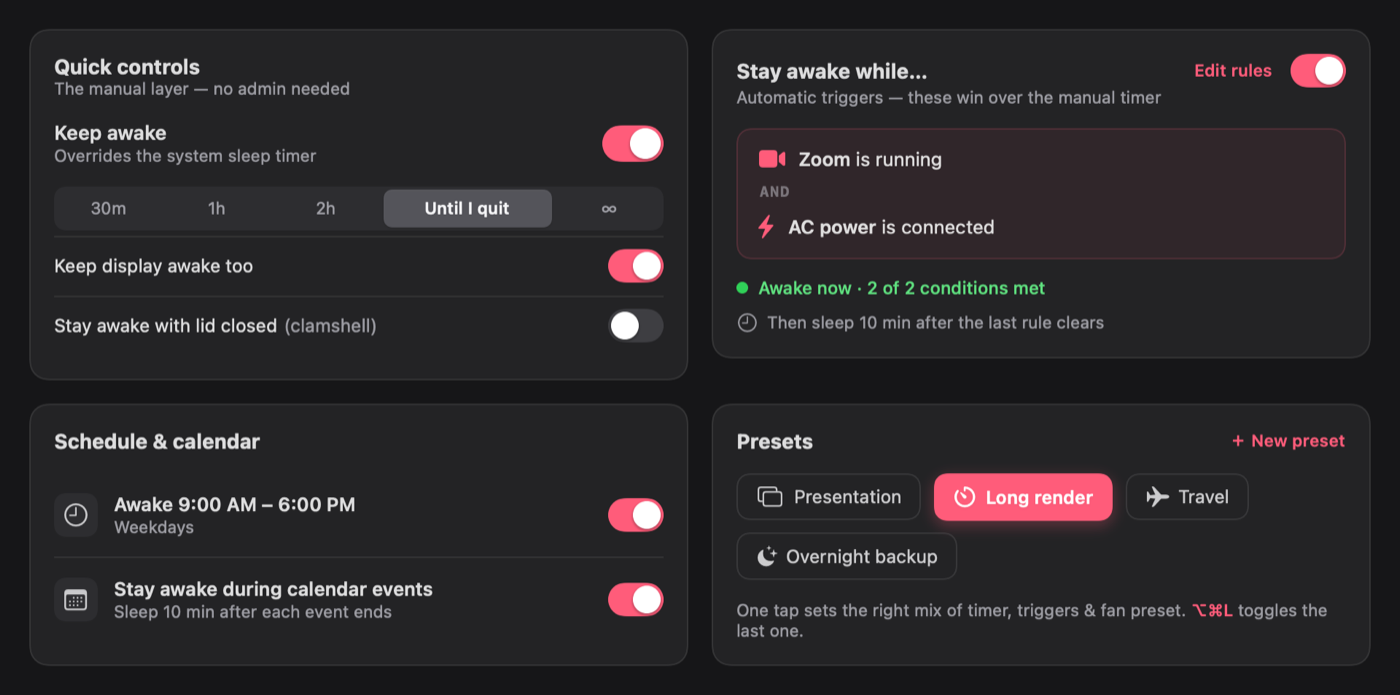
Keep the Mac awake for an hour, a meeting, or while a download finishes. Plain-language rules (“while Final Cut is running”), clamshell mode, and a schedule.

Fans

Fans

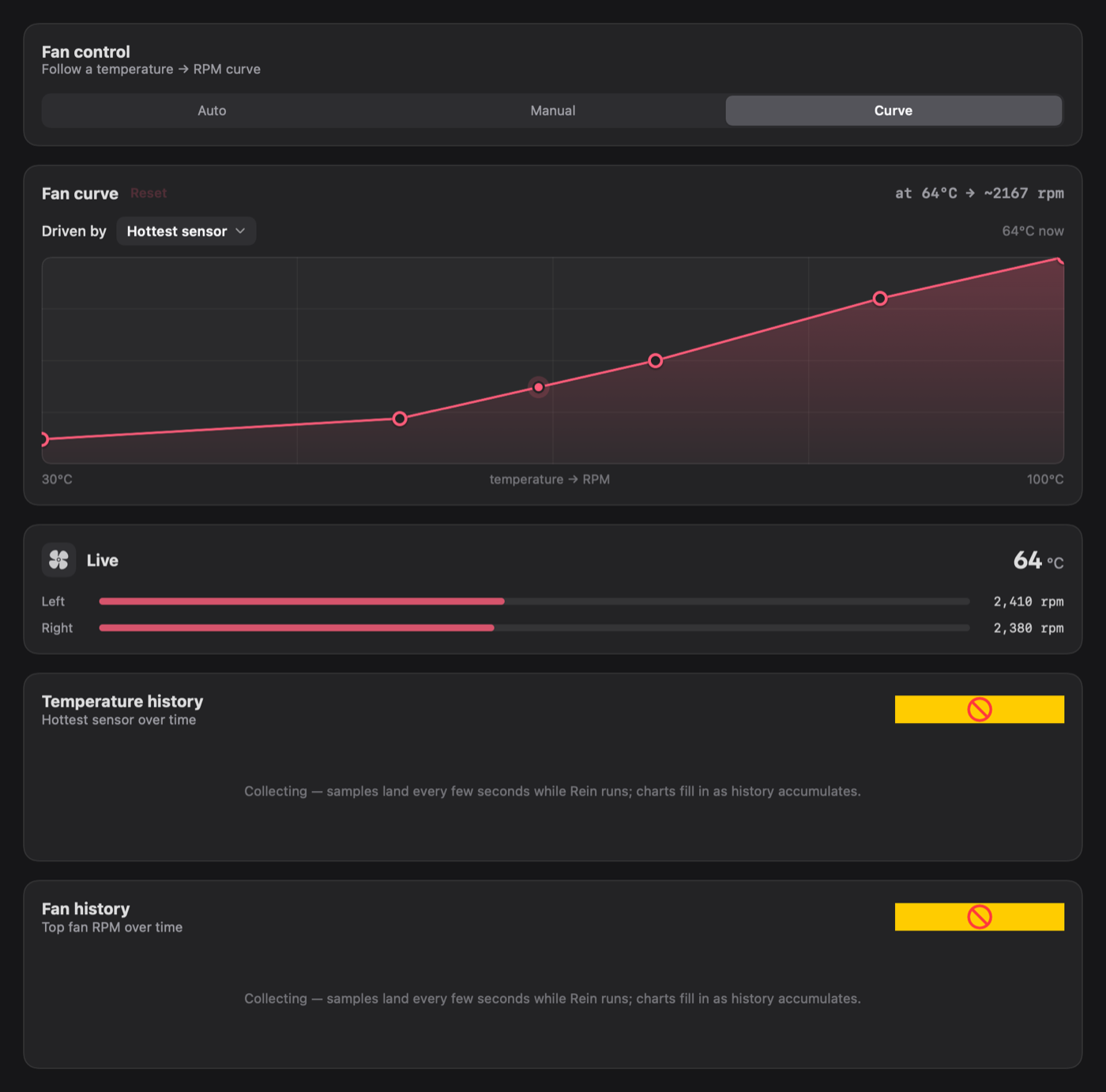
See every fan, set a curve or a fixed speed — real SMC control with a fail-safe: quit or crash and macOS is instantly back in charge.

Battery

Battery

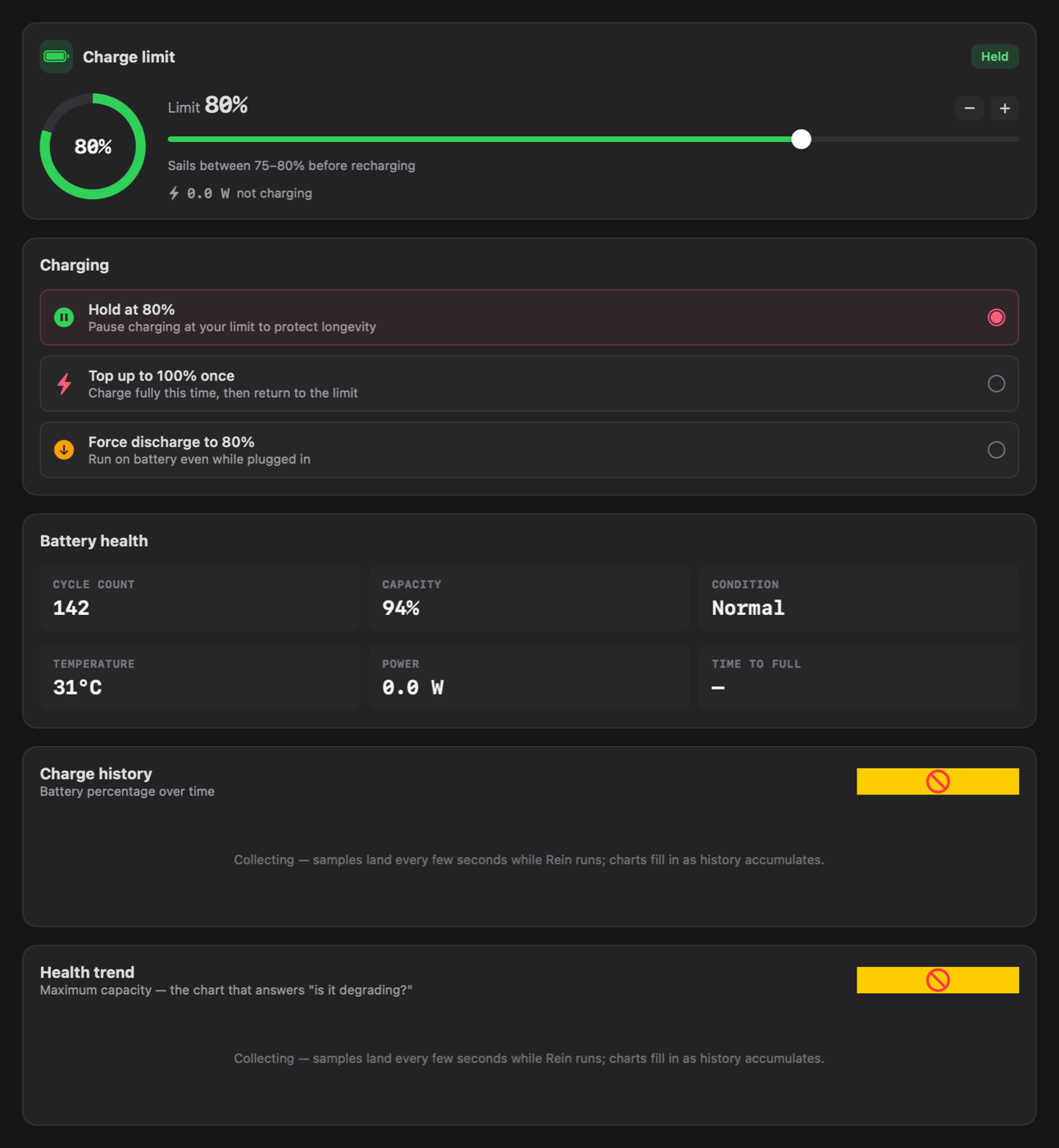
Charge limiting that actually holds, top-up on demand, and health history. Your battery stops living at 100%.

Audio

Audio

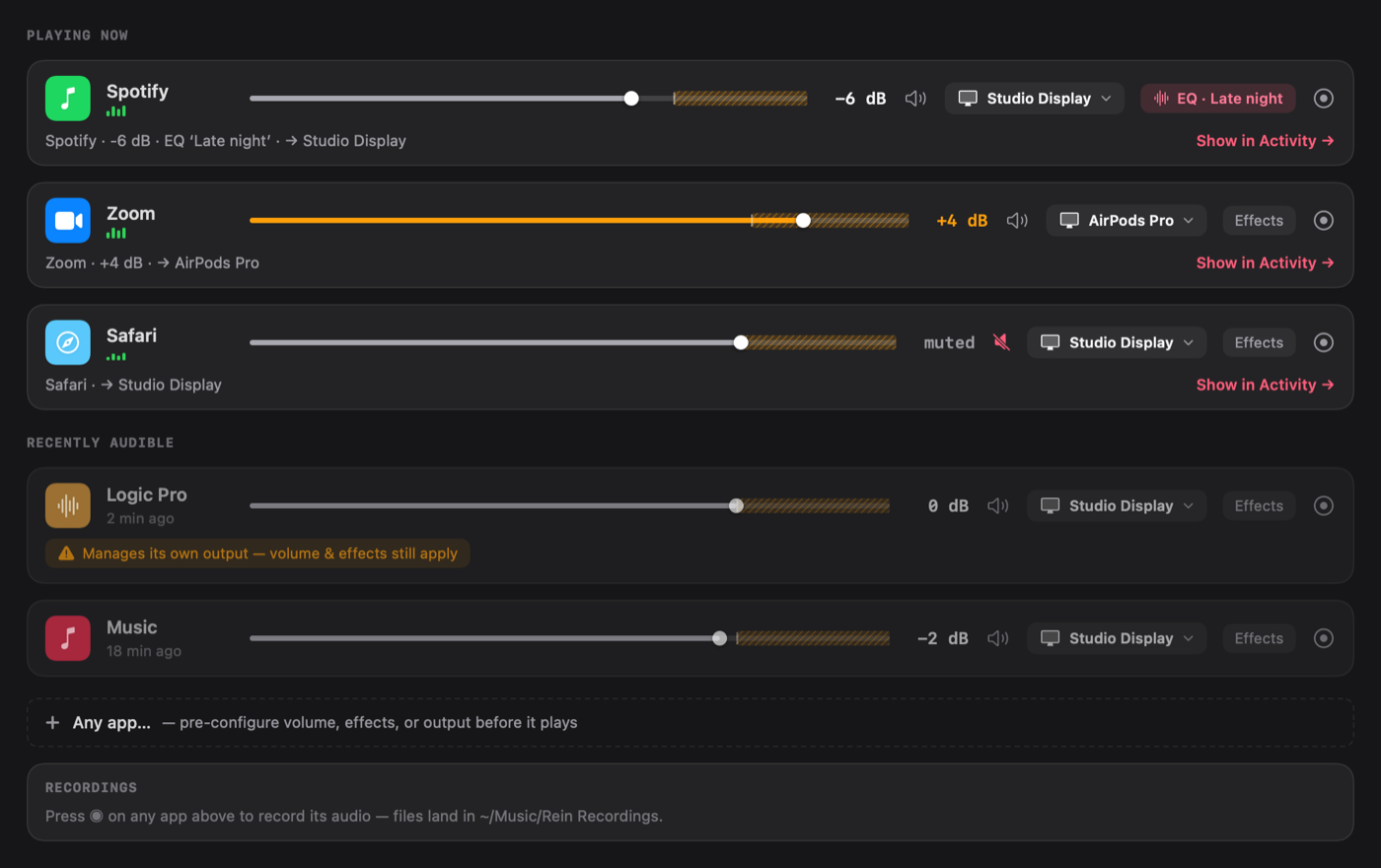
Per-app volume, 10-band EQ and routing. Device-level EQ. A built-in loopback driver. Record any app’s audio. Audio Unit hosting.

Displays

Displays

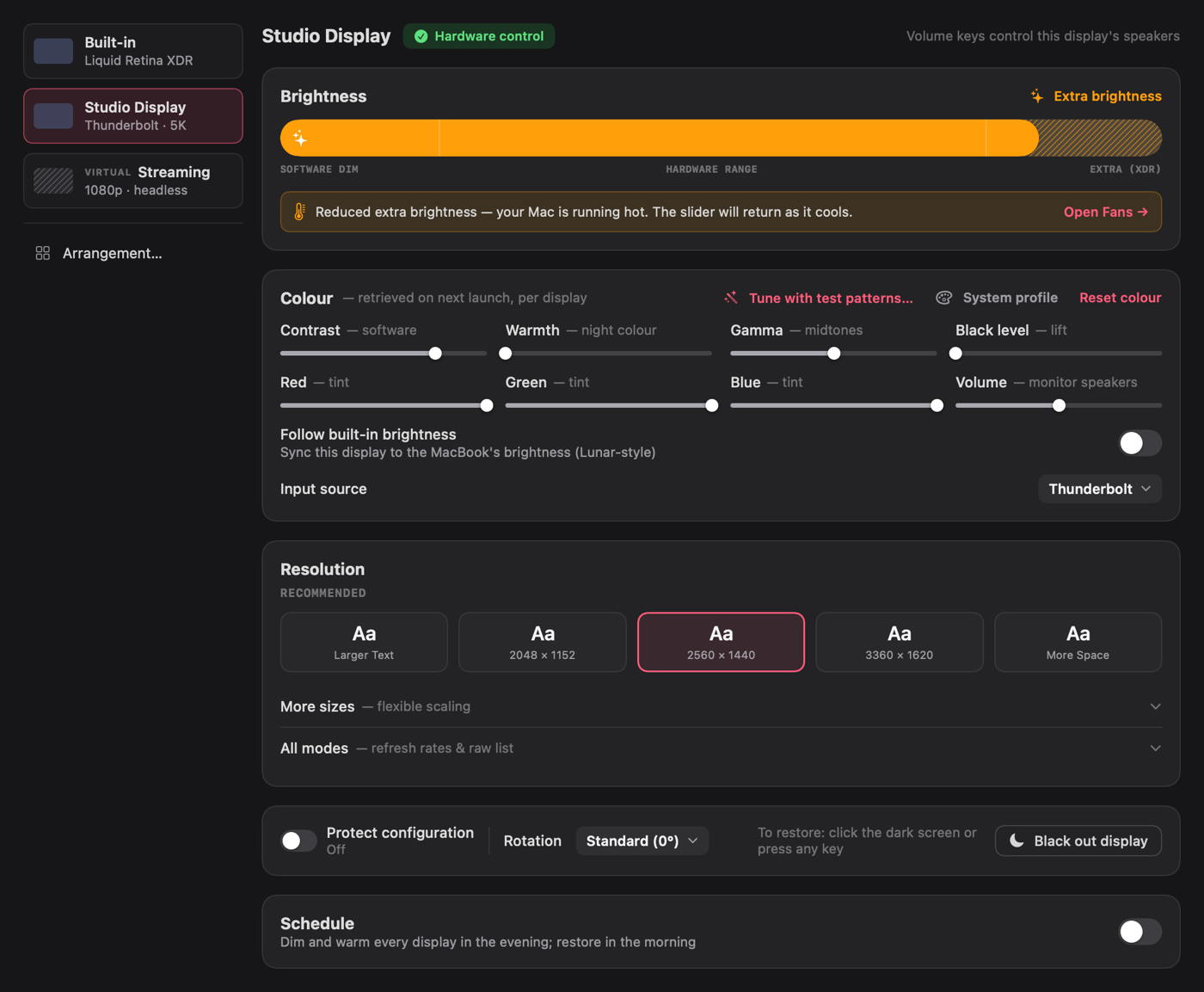
One brightness slider from gamma-dim through hardware to XDR boost. Resolution, rotation, blackout, and config protection.

Colour calibration

Colour calibration

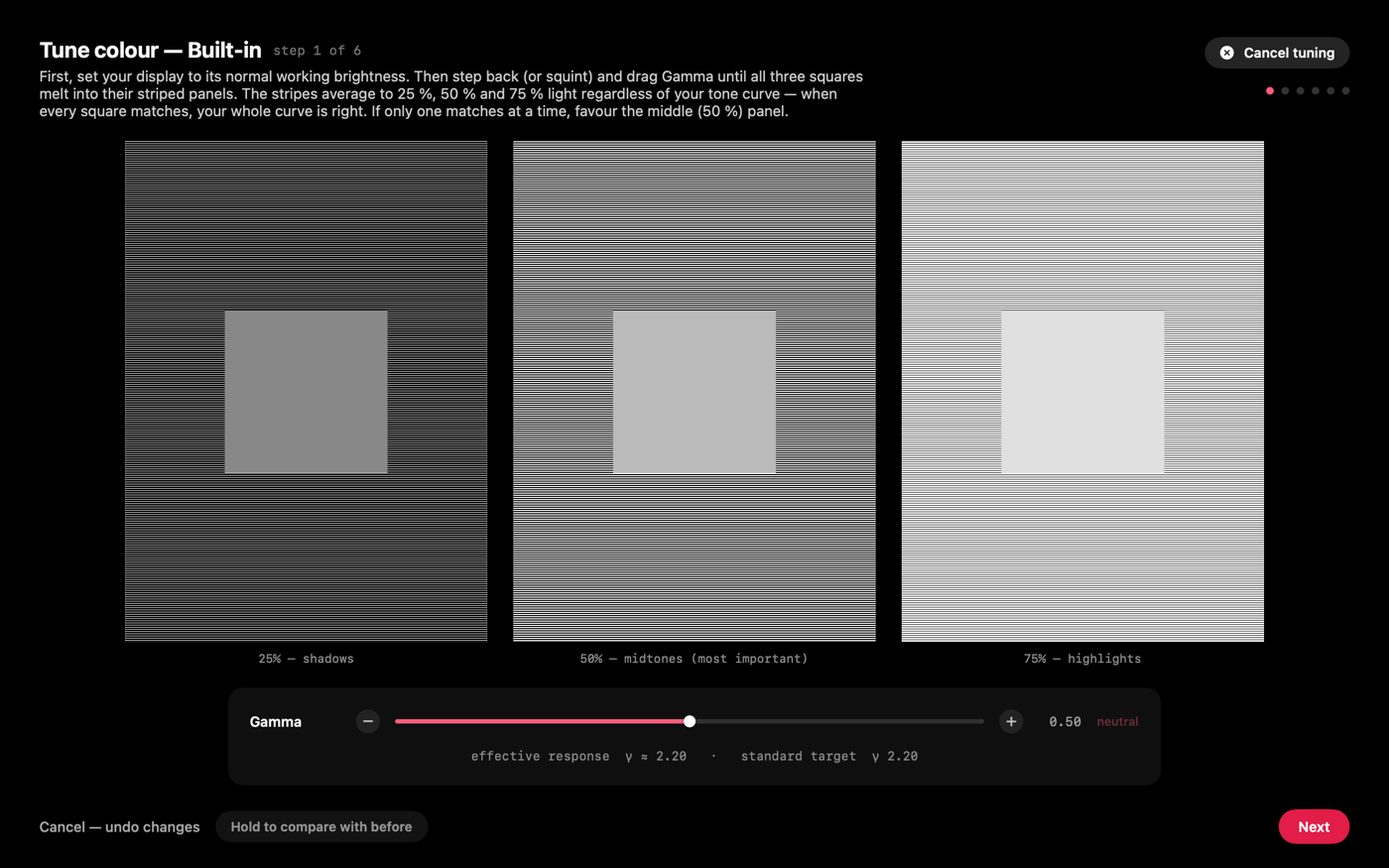
A self-verifying wizard with real test patterns — then bake the result into a proper ICC profile. Your display, actually calibrated.

Menu bar tidy

Menu bar tidy

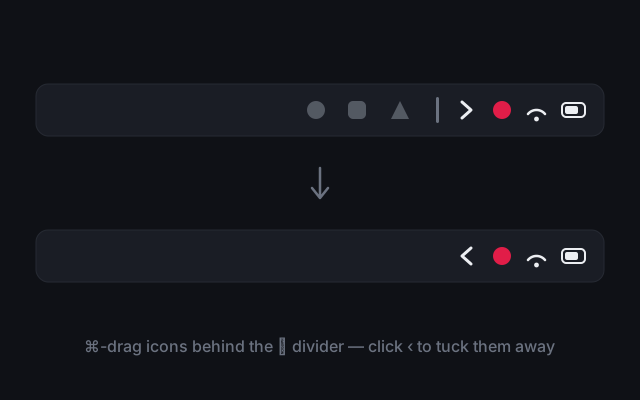
Hide the icon clutter. ⌘-drag icons behind Rein’s slim ⋮ divider, click the ‹ chevron to peek, and they tuck themselves away again.

Cast

4K HDR to your TV, at full quality.

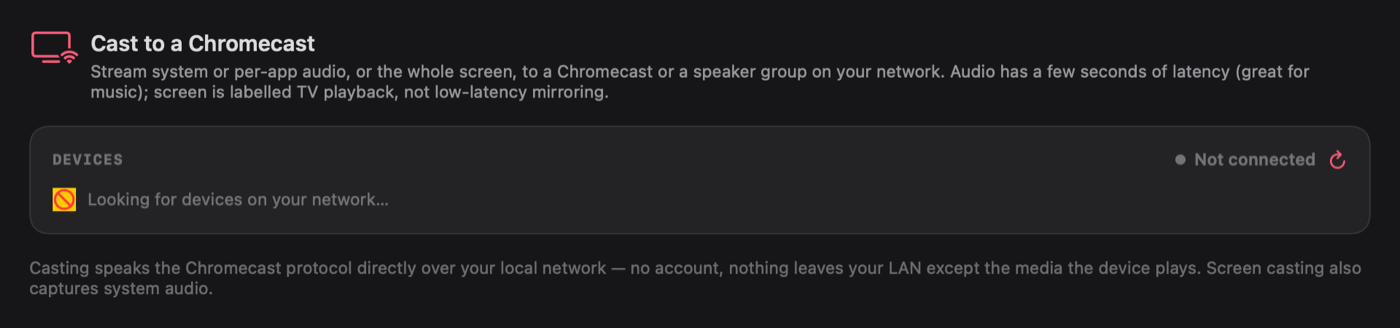
Stream a 4K HEVC MKV to a Chromecast or Google TV with every pixel intact — Rein repackages instead of re-encoding, and only steps quality down if your network genuinely can’t keep up (then back up when it recovers).

  • Zero setup — the media engine is built in
  • Instant seeking, embedded subtitles, audio-track choice
  • Play, pause, scrub and volume from the menu bar — or your keyboard’s media keys
  • AirPlay to Apple TV, screen-to-TV playback, system-wide and per-app audio casting
Cast pillar
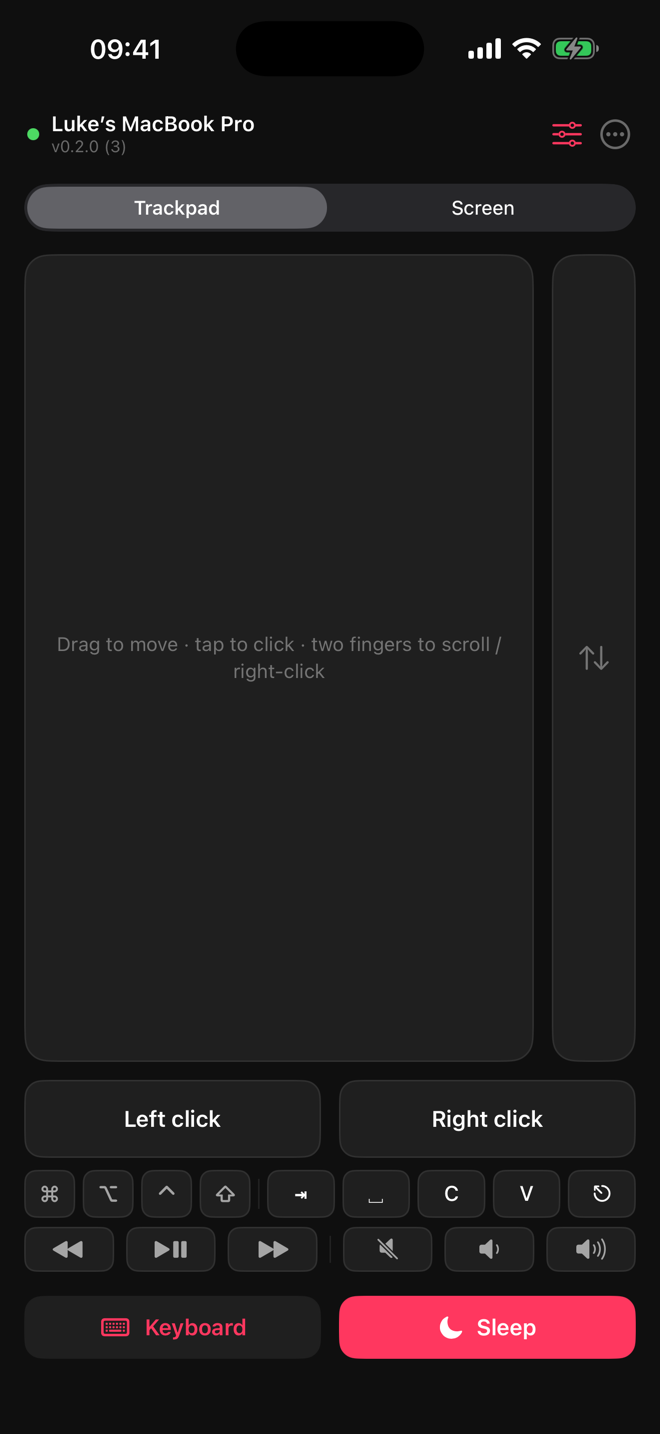
Rein Remote · free iPhone app
Rein Remote trackpad on iPhone

Your Mac, in your pocket.

A real multi-touch trackpad with press-and-hold drag, a live view of the Mac’s screen with smart zoom, a keyboard, media keys, and one-tap sleep — over any network, end-to-end encrypted.

  • Pair in seconds by scanning a QR code
  • Control fans, battery, audio and casting from the sofa
  • Free on the App Store — no account, no ads
Get Rein Remote on the App Store
Pricing

Own it. No subscription, ever.

START HERE

Free trial

3 days
every feature, no limits, no card
  • Download, drag to Applications, done
  • When it ends, your Mac simply returns to stock macOS
Download free trial

Unlock — lifetime license

£22
one-time via Ko-fi · no subscription
  • Buy on Ko-fi → your personal REIN- code arrives by email
  • Paste it in Settings → License → Unlock
  • One personal license · free updates
Buy on Ko-fi
Native SwiftUIApple SiliconNo analyticsNo subscriptionAutomatic updates with release notesFail-safe: quit and your Mac is instantly stock